
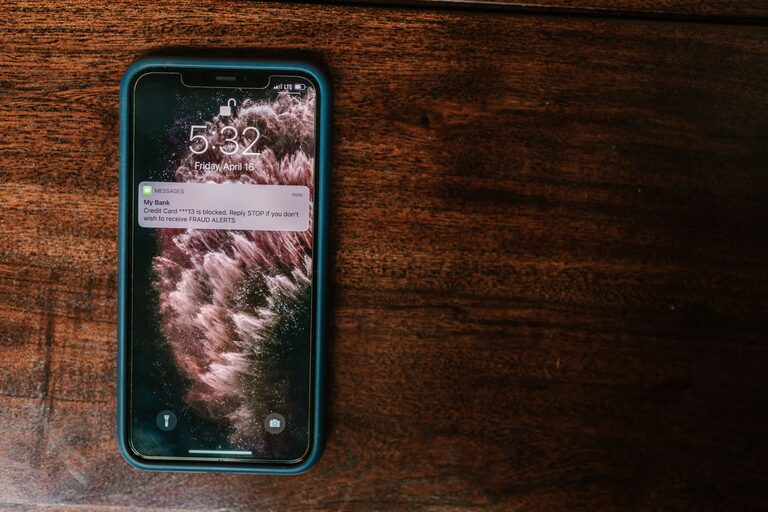
In today’s digital world, notifications are a constant presence—pinging, buzzing, and flashing to grab our attention. While they keep us informed and connected, too many notifications can quickly become overwhelming and disrupt productivity, focus, and even relaxation. Setting clear boundaries with notifications is essential for reclaiming control over your time and attention. Here are some practical tips to help you manage notifications effectively.
Why Setting Boundaries with Notifications Matters
Before diving into tips, it’s important to understand why managing notifications is beneficial. Constant interruptions can lead to:
– Reduced focus and productivity
– Increased stress and anxiety
– Poor work-life separation
– Difficulty relaxing or sleeping
By setting thoughtful boundaries, you create space to concentrate on tasks, enjoy downtime, and maintain a healthier relationship with technology.
Tips for Setting Boundaries with Notifications
1. Audit Your Notifications
Start by reviewing which apps and devices are sending you notifications. Many apps default to sending every alert possible, but you likely don’t need all of them.
– Go through your notification settings on your phone and computer.
– Disable notifications from non-essential apps.
– Prioritize alerts for things that really matter, such as messages from close family or urgent work-related notices.
2. Customize Notification Settings
Most devices offer fine-tuned controls to customize notification delivery. Use these features to tailor alerts to your preferences.
– Choose between sounds, vibrations, or silent notifications.
– Set priority levels for different apps.
– Enable “Do Not Disturb” modes during focused work or rest hours.
3. Use Scheduled “Quiet” Times
Many smartphones, tablets, and computers allow you to schedule quiet times when notifications are muted. This helps you avoid distractions during important moments.
– Set quiet hours during meetings, work sessions, or bedtime.
– Allow exceptions for urgent calls or messages if needed.
– Stick to the schedule consistently to build good habits.
4. Consolidate Notifications
If possible, consolidate notifications into one place or summary alert.
– Use features like “Notification Summary” on iOS or “Notification Bundling” on Android.
– Check notifications on your terms, such as at scheduled breaks, instead of reacting immediately.
5. Limit Social Media and Messaging Alerts
Social media and messaging apps often generate frequent notifications that may not require urgent attention.
– Turn off notifications for likes, comments, and non-essential chats.
– Mute group chats that are particularly active.
– Consider using the apps intentionally rather than responding to every alert.
6. Manage Email Notifications
Email can be a major source of constant alerts, especially if you receive a lot of messages.
– Disable push notifications and instead check email manually at designated times.
– Use filters to prioritize important emails and mute less critical ones.
– Set expectations with colleagues or contacts about your email response times.
7. Be Mindful About App Installations
Only install apps that you really need or use regularly.
– Each app can add to your notification load.
– Uninstall or disable apps that are no longer useful.
– Regularly review apps and their notification permissions.
8. Use Physical Boundaries When Needed
Sometimes, technology boundaries go beyond settings.
– Turn off your device or put it in another room during focused work.
– Use airplane mode during important meetings or sleep.
– Consider using a traditional alarm clock instead of your phone alarm to avoid early morning notifications.
9. Communicate Your Boundaries
Let friends, colleagues, and family know about your notification boundaries.
– Explain your preferred contact times and channels.
– Set realistic expectations about your availability.
– Encourage respect for your “quiet” times.
10. Regularly Reassess Your Settings
Your notification needs can change over time.
– Periodically review and adjust your notification settings.
– Stay aware of new app features or device updates that can improve notification management.
– Be flexible but intentional with adjustments.
Conclusion
Setting boundaries with notifications is a simple yet powerful way to improve focus, reduce stress, and protect your personal time. By auditing your notifications, customizing settings, creating quiet periods, and communicating your boundaries, you gain control over your digital environment. Start with small changes today and enjoy the benefits of fewer interruptions and more mindful connection with your devices.
Remember, notifications should serve you, not distract you. Take charge, and make your technology work in your favor!